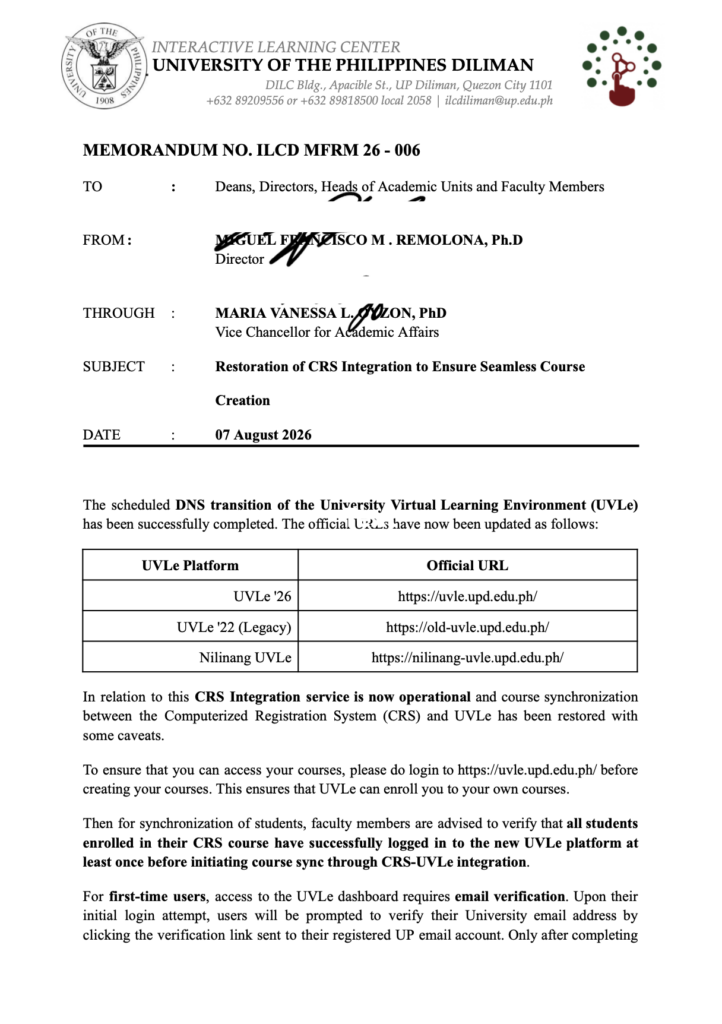
MEMORANDUM NO. ILCD MFRM 26 - 006: Restoration of CRS Integration to Ensure Seamless Course Creation
- August 7, 2026
The scheduled DNS transition of the University Virtual Learning Environment (UVLe) has been successfully completed. The official URLs have now been updated as follows:
𝐔𝐕𝐋𝐞 ‘𝟐𝟔 – uvle.upd.edu.ph
𝐔𝐕𝐋𝐞 ‘𝟐𝟐 (𝐋𝐞𝐠𝐚𝐜𝐲) – old-uvle.upd.edu.ph
𝐍𝐢𝐥𝐢𝐧𝐚𝐧𝐠 𝐔𝐕𝐋𝐞 – nilinang-uvle.upd.edu.ph
In relation to this, the CRS Integration service is now operational and course synchronization between the Computerized Registration System (CRS) and UVLe has been restored, with some caveats.
To ensure access to courses, faculty members should first log in to uvle.upd.edu.ph before creating their courses. This allows UVLe to enroll instructors into their own courses.
For student synchronization, faculty members are advised to verify that all students enrolled in their CRS course have successfully logged in to the new UVLe platform at least once before initiating CRS-UVLe course synchronization.
For first-time users, access to the UVLe dashboard requires email verification. During the initial login, users will be prompted to verify their University email address by clicking the verification link sent to their registered UP Mail account. Only after completing this verification process will users be able to access their UVLe dashboard and be recognized by the CRS Integration service.
Faculty members are encouraged to remind students to:
– Log in to uvle.upd.edu.ph using their UP Mail account.
– Complete the email verification process by clicking the verification link sent to their registered email address.
– Ensure they can successfully access the UVLe dashboard before the instructor performs CRS course synchronization.
Failure to complete the initial login and email verification may result in students not appearing in the synchronized course roster. In such cases, another synchronization will be required after the student’s account has been successfully activated.
Training materials, user guides, and instructional resources for the new UVLe platform remain available through the Tutorial Courses menu within UVLe. Faculty members and students are encouraged to review these resources to familiarize themselves with the platform’s features and enhancements.
The memorandum thanks the University community for its patience, understanding, and cooperation throughout the transition, acknowledging that this support has been instrumental in the successful deployment of the University’s upgraded learning management system.
Since UVLe no longer supports DilNet login, freshmen without UP Mail accounts are encouraged to obtain their UP Mail as soon as possible. In the meantime, freshmen and transferees should contact the ILCD Helpdesk to request temporary accounts. After receiving a temporary account, they should coordinate with their instructor for enrollment instructions in the relevant UVLe courses.
For inquiries or technical assistance, contact the ILCD Helpdesk:
helpdesk.ilc.upd.edu.ph.